
Mondial Relay tracking should be simple: paste your number, see where your parcel is, and know when to go and collect it. In reality, a cryptic status, a “no information” error, or a pickup countdown you did not know existed can leave you guessing. This guide clears it up — how to track your Mondial Relay parcel, what every status actually means, the pickup rules that catch people out, and how to unstick a number that will not update.
📦 Track your Mondial Relay parcel automatically
Drop your Mondial Relay number into Package Tracker and it follows every scan for you, then pushes an alert the moment your parcel is ready to collect — so you never miss the short pickup window. Free.

How to track a Mondial Relay parcel
There is one golden rule: you need two things, not one. Enter your Mondial Relay tracking number (also called the shipment or consignment number) on the official Mondial Relay tracking page or in a tracking app, and — on the official portal — add the delivery postcode when it asks. The postcode is a light security check that pairs with your number; get it wrong and a perfectly valid number returns “no information.” You can start tracking the moment the sender creates the label, but scans only begin once the parcel physically enters the network.
Do not have the number to hand? It is not the same as your order number. On Vinted it sits inside the order’s shipping details; for a shop it is in the dispatch confirmation email or SMS. If it is missing entirely, ask the seller to resend it — and if a number you do have simply will not load, see tracking number not working. Deciding between carriers first? Our Mondial Relay vs DHL comparison covers that.
What a Mondial Relay tracking number looks like
A Mondial Relay number is purely numeric, with no letters and no spaces — classically 8 digits, though the portal also accepts 10- and 12-digit numbers on some cross-border or locker shipments. If your code has letters or looks like an order reference, it is probably the marketplace order number, not the carrier number — check the shipping section again for the real one.
Mondial Relay tracking statuses explained
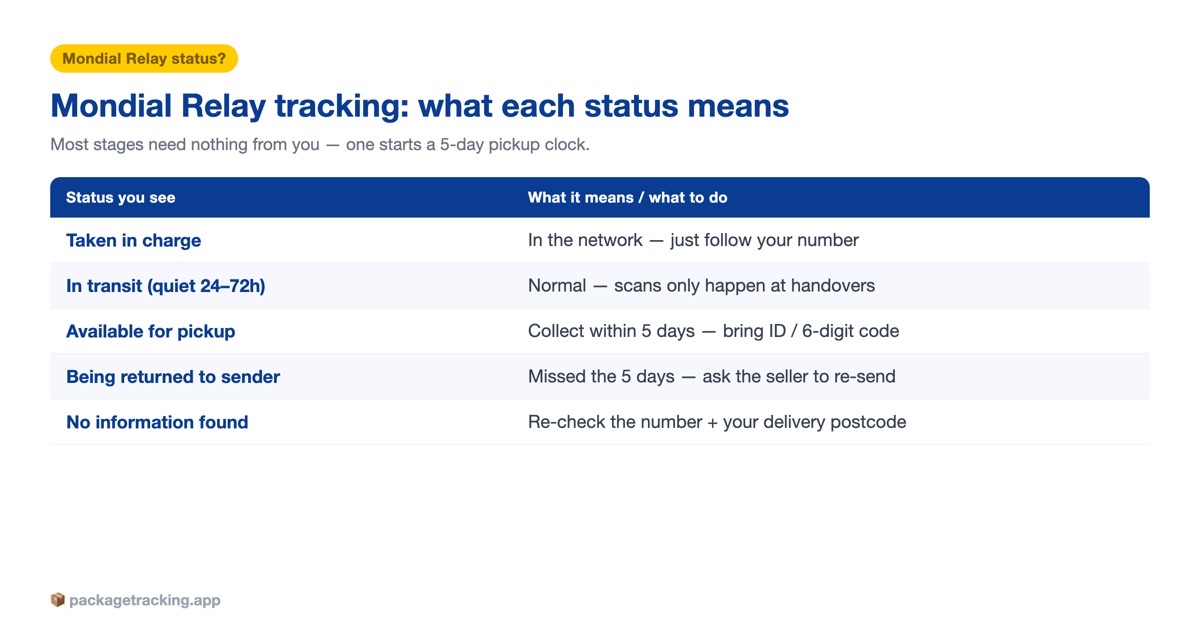
Mondial Relay’s wording can be vague, so here is what each stage really means and whether you need to do anything. Most of the journey needs nothing from you — the one status that starts a clock is “Available for pickup.”
| Status | What it means | What to do |
|---|---|---|
| Label created / being prepared | The sender made a label but has not handed the parcel to Mondial Relay yet — it is not moving. | Wait. If it is stuck here for days, chase the seller, not Mondial Relay. |
| Taken in charge by Mondial Relay | Dropped off or collected and now inside the network; live tracking begins here. | Nothing — start following your number. |
| Arrived at sorting centre | Reached a Mondial Relay hub and is being registered. | Nothing — a normal transit stage. |
| Being sorted / processing | Being sorted and prepared for onward dispatch; can take a day or two. | Nothing, unless it is frozen well beyond about 5 working days. |
| In transit / dispatched from site | Left the facility and is moving between platforms toward your area. | Nothing — expect quiet 24–72 hour gaps between scans. |
| In transit to pickup point | On the final leg toward your chosen Point Relais or locker. | Nothing — the pickup point is close. |
| Delivered to relay point / locker | The driver dropped it off; it may still need checking in. | Wait for the “available” alert before travelling — the shop may not release it until scanned. |
| Available for pickup | Checked in and ready; you are notified by email, SMS or app. Your 5-day countdown starts now. | Collect within 5 calendar days with photo ID and/or your code (a 6-digit PIN for lockers). |
| Collected | Picked up by you or someone with your ID/code; delivery is complete. | None. If you did not collect it, contact the seller and Mondial Relay at once. |
| Pending / on hold | Temporarily held — a delay, or an action is needed from you. | Check your tracking and messages for an instruction; otherwise wait for it to clear. |
| Anomaly — lost or damaged | Flagged as damaged, mislaid or lost in the network. | Ask the seller (the contract holder) to open a claim — a flat €25 without paid insurance. |
| Being returned to sender | Not collected within the 5-day window, or undeliverable, so it is heading back. | You can no longer collect it. Ask the seller for a re-send (often paid) or a refund. |
The status you are waiting for is Available for pickup — that, not out for delivery, is when your parcel is actually ready and your collection countdown begins.
Collecting from a Point Relais or locker (the 5-day rule)
This is where most people get caught out. Since 8 October 2025 a parcel is held for just 5 calendar days — Sundays and public holidays included — at both Points Relais and lockers, down from eight. The window cannot be extended, and an uncollected parcel is automatically returned to the sender, so treat the “ready for pickup” alert as a clock that has already started.
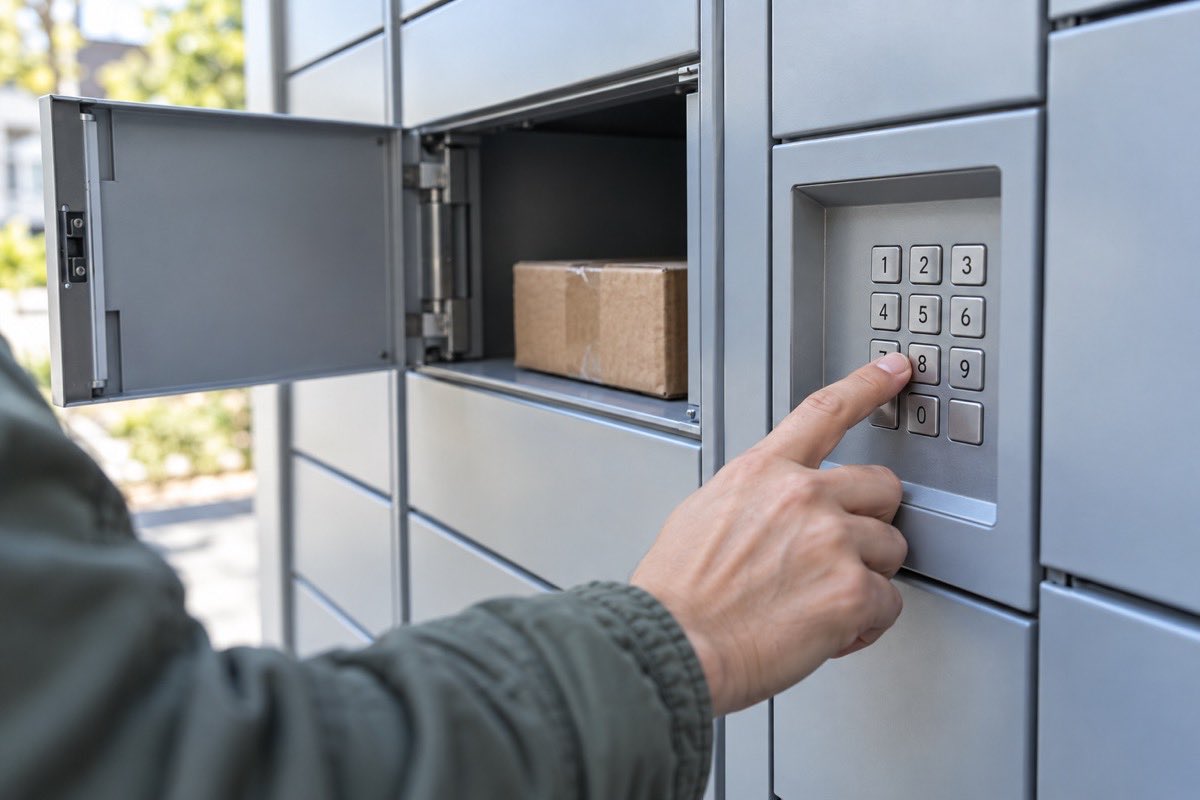
What to bring depends on the collection type. At a Point Relais (a shop counter), take photo ID matching the recipient name — an ID card, passport or driving licence — and/or the withdrawal code from your email or SMS. At an automated locker, you need the 6-digit code sent when the parcel is placed inside, which you enter or scan to open the compartment. One catch worth knowing: if your relay point is full or closed, Mondial Relay quietly reroutes the parcel to a nearby one, so always read the current pickup address in your live tracking before you set off.
Why your Mondial Relay tracking is not updating
A frozen tracker is usually a moving parcel. Mondial Relay scans at handover points, not continuously, so a parcel can sit 24–72 hours between updates while it moves between hubs, over a weekend, or during a sales peak. Add the usual suspects — a label created before the seller actually dropped the parcel off, an international parcel in customs, or a simple logistics delay — and a quiet day or two is nothing to worry about.
Before you panic, re-check the basics: the exact numeric number (no spaces) and the correct delivery postcode, since a mismatched postcode is the number-one cause of a “no information” result. If the same status is genuinely frozen for about 5 working days, it is time to act — and because Mondial Relay has no phone line, the fastest route is to ask the seller (the carrier’s contracting customer) to open an investigation. The pattern is the same one we cover in package stuck in transit.
Common Mondial Relay problems and how to fix them
- Number not recognised / “no information found”: re-enter the full number with no spaces and add the exact delivery postcode — the top cause of this error. If it still fails after 24–48 hours it may simply be too early (no first scan), or the wrong code; ask the seller for the real carrier number, not the marketplace order number.
- Parcel returned after the hold window: since 8 October 2025 you have only 5 calendar days from “available,” and it cannot be extended. If it has already gone back, ask the seller for a re-send (usually paid) or a refund — Mondial Relay will not redeliver a returned parcel to you.
- A placeholder or wrong number from a seller: some sellers mark an order “shipped” with a dummy number that never activates. Message them for the real Mondial Relay number; if they cannot provide a working one, open a dispute through the marketplace’s buyer protection within its deadline rather than waiting on the tracker.
- Relay point closed, full or changed: Mondial Relay auto-reroutes to a nearby point, so the pickup address can differ from the one at checkout. Open your live tracking and read the current relay name and address before travelling.
- Parcel arrived damaged: accepting and scanning it counts as “delivered in good condition,” so inspect and refuse a visibly damaged parcel at the counter. For a claim, contact the seller with photos of the goods and both layers of packaging; damage must be reported quickly (the terms cite about 3 days).
- Locker code not working: the 6-digit PIN only works once the parcel is physically inside, so confirm the “available in locker” status first, use the newest code from your email/SMS/app, or open the compartment from the official app.
For anything marked delivered that never reached you — a locker you never opened, or a relay point that says it handed the parcel back — our guide on a package delivered but not received walks through the next steps and the evidence to gather.
Tracking a Mondial Relay parcel from Vinted
Most people meet Mondial Relay through Vinted, where it is the default carrier in France, Belgium and Spain. A few Vinted-specific quirks: the tracking number lives in the order’s shipping details and is not the Vinted order number; the first scan can lag around 48 hours behind the seller pressing “ship”; and the seller usually has a few business days to actually post the item. If nothing has scanned within a couple of days of the ship deadline, message the seller before opening a Vinted case. Weighing Vinted’s carriers against each other? See Mondial Relay vs DHL.
Other carriers you might see on your orders
If you shop across marketplaces you will meet plenty of other labels, and the same one-app approach works for all of them. In Europe that often means InPost (the locker network behind Mondial Relay’s parent), DPD, GLS, Evri (Hermes), Royal Mail or Parcelforce in the UK; longer routes can pass through customs or arrive from DHgate, and US orders may finish on a last-mile courier like SpeedX. One app, every number, one pickup deadline you cannot miss.
Getting a DHL parcel too? See our DHL tracking guide — how to tell which DHL you have, and every status explained.
Frequently asked questions
Choosing which carrier to send with, not just how to track it? Read our full Mondial Relay vs Chronopost comparison of prices, speed and coverage.
Enter your Mondial Relay tracking number (the consignment or shipment number) on the official Suivi de colis page and add the recipient’s postcode when asked. You will then see the live status from collection through transit to ‘available at your Point Relais or locker’. You can track from when the sender creates the label, but scans only begin once the parcel physically enters the network.
It is a purely numeric code with no letters — classically 8 digits, though the portal also accepts 10- and 12-digit numbers on some cross-border or locker shipments. There are no spaces. The seller sends it by email or SMS, and on Vinted it appears inside the order’s shipping details, separate from the Vinted order number.
The official portal pairs your tracking number with the delivery postcode as a light security and destination check. A wrong or mismatched postcode is the single most common reason a valid tracking number returns ‘no information’, so always use the exact delivery postcode.
Gaps are normal — Mondial Relay scans at key handover points rather than continuously, so a parcel can sit 24 to 72 hours between updates in transit, over weekends, or during peak periods. Other causes are a label created before drop-off, customs clearance on international parcels, or a logistics delay. If the same status is frozen for about 5 working days, it is worth acting.
First confirm you are using the correct consignment number and the exact delivery postcode. If it is genuinely frozen for more than about 5 working days, contact the seller: as Mondial Relay’s contracting customer, the sender can open an investigation faster than you can. There is no phone line, so investigations go through the online contact form or app.
Since 8 October 2025 the window is just 5 calendar days, including Sundays and public holidays, at both Points Relais and lockers (down from 8). It cannot be extended, and an uncollected parcel is automatically returned to the sender. Collect as soon as you get the ‘ready for pickup’ notification.
At a Point Relais, bring photo ID (ID card, passport or driving licence) matching the recipient name, and/or the withdrawal code from your email or SMS. At a locker, you need the 6-digit code sent once the parcel is placed inside, which you enter or scan to open the compartment, or open it remotely from the app.
Not directly — the tracking number is the key that pulls up the parcel. If you do not have it, check the seller’s shipping confirmation email or SMS, or your order page (on Vinted it is under the order’s shipping details). If it is missing entirely, ask the seller to resend it.
It is the status you are waiting for: the parcel has reached your collection point or locker and is ready to pick up. Your 5-day pickup countdown starts from this point, so collect promptly and bring your ID and/or code. For lockers, this is when the 6-digit PIN is issued.
The sender or merchant holds the transport contract and must file the claim; you supply the evidence (tracking number, receipt, and photos of the goods and packaging) through them. Inspect and refuse a visibly damaged parcel before scanning it, since acceptance counts as good condition. Compensation without paid insurance is a flat €25 including tax per parcel, or the invoice value if lower.
Yes — Mondial Relay publishes an official app. Independent multi-carrier tracking apps also cover Mondial Relay and are handy if you receive from several carriers, since they keep every parcel and its pickup deadline in one place with push notifications so you never miss the short collection window.




1 Comment