
On this page
- How to track your eBay package
- How eBay package tracking works
- Where to find your eBay tracking number
- Tracking packages in your eBay account
- Expected delivery dates explained
- Tracking eBay orders as a guest shopper
- International shipments & the eBay International Shipping Program
- What to do when no tracking information appears
- Using carrier websites for more detailed updates
- Dealing with late or lost packages
- Tracking multiple orders efficiently
- Key takeaways
- Frequently asked questions
How to track your eBay package
How eBay package tracking works
When sellers on eBay ship an item, they usually upload a tracking number. Tracking gives real‑time scans showing when the package leaves the warehouse, enters transit and reaches your address. Once a seller uploads the tracking information, buyers can see the expected delivery date and track the shipment in their Purchase History. The tracking number lets you monitor transit progress and confirm delivery. However, if a seller ships without tracking or hasn’t yet uploaded the number, you won’t see status updates. In those cases, the item may still be on the way—tracking simply hasn’t been provided.
📦 Every eBay courier, one app
Your eBay purchase can ship with any courier, so Package Tracker auto-detects the carrier and pushes an alert at each step — free.

Tip: Encourage sellers to upload tracking numbers. It builds trust and protects both parties.
Where to find your eBay tracking number
Emails – After checkout, eBay sends a confirmation email when your item ships. This message includes the tracking number and a link to the carrier’s website.
Purchase History – Sign in to eBay, open My eBay → Purchase History and look for the order. When a seller has added tracking, a clickable “Tracking Number” or “View Order Details” link appears. Clicking it opens the shipment timeline with scans and estimated arrival dates.
Seller messages – Sometimes sellers send the tracking number directly via eBay Messages. If you can’t find a tracking ID in your Purchase History, check your inbox.
Tracking packages in your eBay account
eBay’s interface makes tracking easy:
- Log into your account and go to My eBay → Purchase History.
- Find the relevant order. If tracking is available, you’ll see the carrier name (e.g., USPS, UPS) and a tracking number. Click Track package to view the shipping timeline, including origin scans, transit locations and expected delivery dates.
- On mobile, open the eBay app, tap My eBay → Purchases, and select your order. Tap Track to view the same tracking details. Mobile push notifications can alert you when there are updates.
- If the package is being handled by eBay’s Global Shipping Program or eBay International Shipping, tracking may show two legs: from seller to the domestic hub and from the hub to your country.
Expected delivery dates explained
How eBay calculates the delivery window
eBay displays an expected delivery window on listings and in your purchase details. The window is calculated using several factors, including the seller’s handling time, the shipping service selected, the distance between buyer and seller and whether payment has cleared. After checkout, the delivery range appears in your Purchase History and will adjust if your address or shipping service changes. When buying as a guest, you’ll see the estimated delivery dates in your confirmation email. Remember, these dates are estimates; unexpected delays (e.g., weather or carrier issues) can push the delivery beyond the range. International shipments also require customs clearance which may lengthen transit time.
Tracking eBay orders as a guest shopper
If you checked out as a guest without an eBay account, you can still track your order:
- Locate your order confirmation email from eBay. It includes a tracking link and estimated delivery date.
- Click the Track Package button in the email to open a web page showing your order status and tracking scans.
- If you created an account after purchase, sign in with the same email address. Your order will appear in Purchase History.
- If you cannot find the email, check your spam/junk folder or contact the seller for the tracking number.
International shipments & the eBay International Shipping Program
International purchases follow a two‑step process. Under the eBay International Shipping program, sellers send your item to a domestic shipping hub (for instance, a facility in your country). Once the hub receives the item, eBay’s carrier adds international tracking, and you can follow the parcel to your country. Delivery times vary by destination and customs procedures. Always read the seller’s shipping policies to know whether they use eBay’s program or a direct international courier.
A quick comparison of domestic vs. international tracking:
| Shipping type | How tracking works | Typical timeline |
|---|---|---|
| Domestic | Seller uploads tracking; you view scans directly from origin to destination. | 2–7 business days depending on service. |
| International (eBay International Shipping) | Two legs: seller → domestic hub (first tracking number) and hub → destination country (new tracking number after hub). | Varies by country; customs may add delays. |
What to do when no tracking information appears
Sometimes you can’t see any tracking updates. Possible reasons include:
- The seller hasn’t uploaded the tracking number yet. Sellers must manually add tracking. Contact the seller politely to request the number if you don’t see it in your Purchase History.
- The package hasn’t been scanned by the carrier. It may take 24–48 hours for the first scan to appear, especially if the package was dropped at a post office after business hours.
- The seller used an untracked shipping service. Some cheaper services (e.g., domestic stamped mail) don’t provide tracking. The estimated delivery window still applies.
- The tracking number is incorrect. Typos happen—ask the seller to verify the number.
If tracking stays blank for several days and the estimated delivery date has passed, open an Item Not Received case through eBay Resolution Center. eBay’s Money Back Guarantee protects buyers when items don’t arrive.
Using carrier websites for more detailed updates
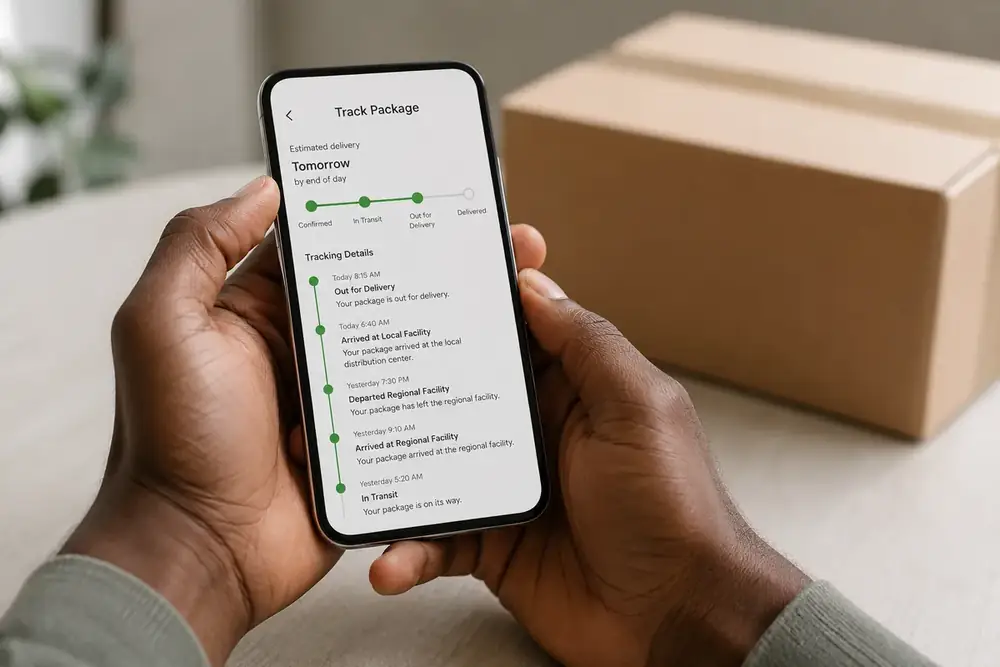
Once you have your tracking number, you can also track directly on the carrier’s website (USPS, UPS, FedEx, DHL, etc.). Carrier sites often show additional scans and estimated delivery times beyond what eBay displays. Simply copy the tracking ID and paste it into the carrier’s tracking tool. This can be especially useful for:
- Detailed location updates – see when the package arrives at local facilities.
- Notifications – sign up for text or email alerts from the carrier.
- Requesting delivery changes – some carriers allow you to reschedule, hold for pickup or leave in a safe place.
Dealing with late or lost packages
Steps for a late or lost package
If the estimated delivery window passes and your package hasn’t arrived, follow these steps:
- Check tracking again for new scans or attempted delivery notices.
- Contact the seller through eBay Messages. Sellers can contact the carrier, confirm the address or provide a new tracking number.
- Check with neighbors or building managers in case the package was delivered nearby.
- Open an eBay case if the seller can’t resolve the issue. eBay’s Money Back Guarantee protects you when items don’t arrive or are not as described.
Remember, shipping delays caused by customs or extreme weather may extend delivery times. Patience and polite communication often resolve most issues.
Tracking multiple orders efficiently
When you order from several sellers, it’s easy to lose track of multiple tracking numbers. Instead of juggling emails and carrier websites, consider using an all‑in‑one package tracker like the Package Tracking App from TossitOnline. It consolidates tracking numbers from different carriers into one dashboard and sends push notifications when there are updates. Our app supports hundreds of couriers and is free to use (with premium upgrades for ad‑free tracking and unlimited packages). Track your eBay packages effortlessly with our package tracking app and never miss a delivery again.
Key takeaways
- eBay shows tracking in your Purchase History once the seller ships.
- International eBay orders may use SpeedPAK and pass through customs.
- The expected delivery window is an estimate, not a guarantee.
- The eBay Money Back Guarantee covers items that never arrive.
Frequently asked questions
Our Etsy order tracking guide breaks down the same per-seller carrier variance for handmade orders.
Sign in to eBay, open My eBay → Purchase History, and click the tracking number next to your order. You can also use the tracking link in your confirmation email.
It’s included in the shipping confirmation email, shown in Purchase History under “Track package,” or provided by the seller via eBay messages.
The carrier may not have scanned the item yet, or the seller hasn’t uploaded the tracking number. Wait 24–48 hours or contact the seller.
Most sellers provide tracking, but some economy shipping methods (e.g., untracked letters) do not. Always check the listing details before purchasing.
It’s a service where sellers ship to a domestic hub. eBay then handles international shipping, adding a new tracking number once the item reaches the hub.
Yes. Use the tracking link in your order confirmation email. You can also create an account with the same email address to view your order in Purchase History.
They’re calculated using handling time, shipping method and distance. While generally reliable, weather, customs or carrier delays can affect actual delivery.
Check the tracking for updates, contact the seller, and if necessary open a claim in the eBay Resolution Center after the estimated delivery window.
Once shipped, address changes aren’t guaranteed. You might be able to request a reroute through the carrier’s website if the option exists.
No. eBay relies on carrier tracking; some carriers offer map views on their own sites or apps.
Sellers specify handling time in the listing. If they exceed it without shipping, you can ask for a cancelation.
Contact the seller. Mistyped numbers are common. Ask them to confirm or provide the correct one.
Signature requirements depend on the item’s value and shipping service. High‑value items may require a signature.
Yes. Use a third‑party tracking app (like Package Tracking App) to add all your tracking numbers and receive consolidated updates.
Choose reputable apps with secure data handling. Avoid sharing personal information beyond tracking numbers.
Related tracking guides
- How to track any package
- Shein order tracking
- package stuck in transit
- Walmart package tracking
- track without a number
- Hermes (Evri) tracking
- Package Tracker app for iPhone
Track every delivery in one app
Stop checking carrier websites one by one. Package Tracker follows USPS, UPS, FedEx, DHL and 1,700+ carriers in a single iPhone app, with no account required.




1 Comment